 Coming soon to the Mac App Store
Your money, quietly in focus.
Folio is an independent Mac app by Ruchit Patel for income, spending, bills, budgets, and savings goals — fully offline, with no account and no bank connection.
Not yet available. Intended price $19.99, one-time purchase.
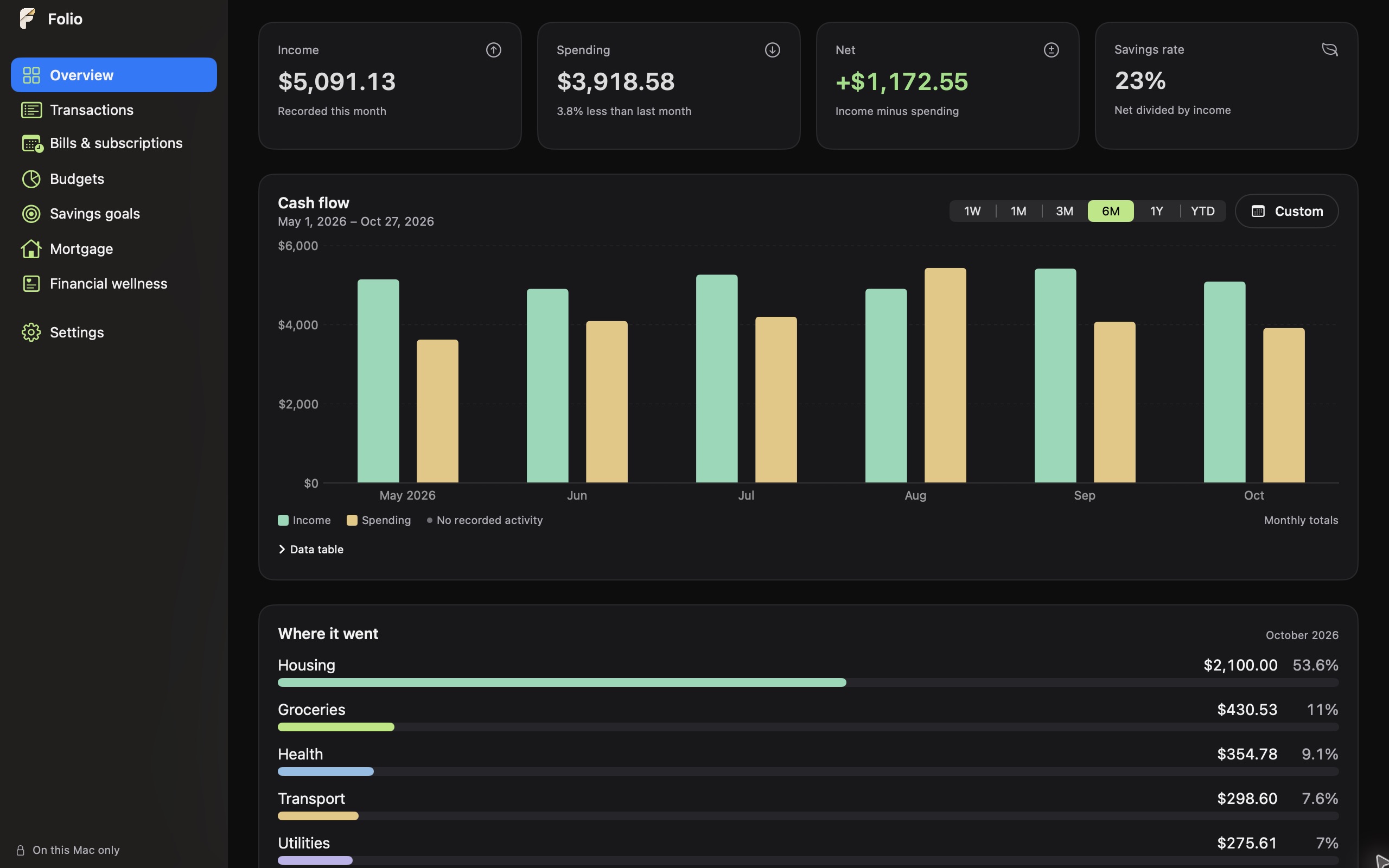
Illustrative records shown. Your workspace starts empty.
A calm ledger for everyday finances.
Folio keeps the essentials in one native window: what came in, what went out, what's due, and what you're saving toward. You enter transactions yourself or import them from CSV — nothing is pulled from a bank.
Your month at a glance
Income, spending, net cash flow, recent transactions, upcoming bills, and spending by category.
A ledger you control
Add income and expenses, organize custom categories, search and filter, import CSV, and export your history.
Bills and subscriptions
Track recurring bills and subscriptions and mark payments as you make them.
Budgets and goals
Set category budgets and follow progress toward savings goals.
Explore your mortgage
Compare extra-payment scenarios with estimated payoff time, interest, and amortization — without touching your transaction history.
Built for Mac
Native windows, keyboard shortcuts, custom chart periods, and themes, colors, fonts, and light or dark mode.
Inside Folio
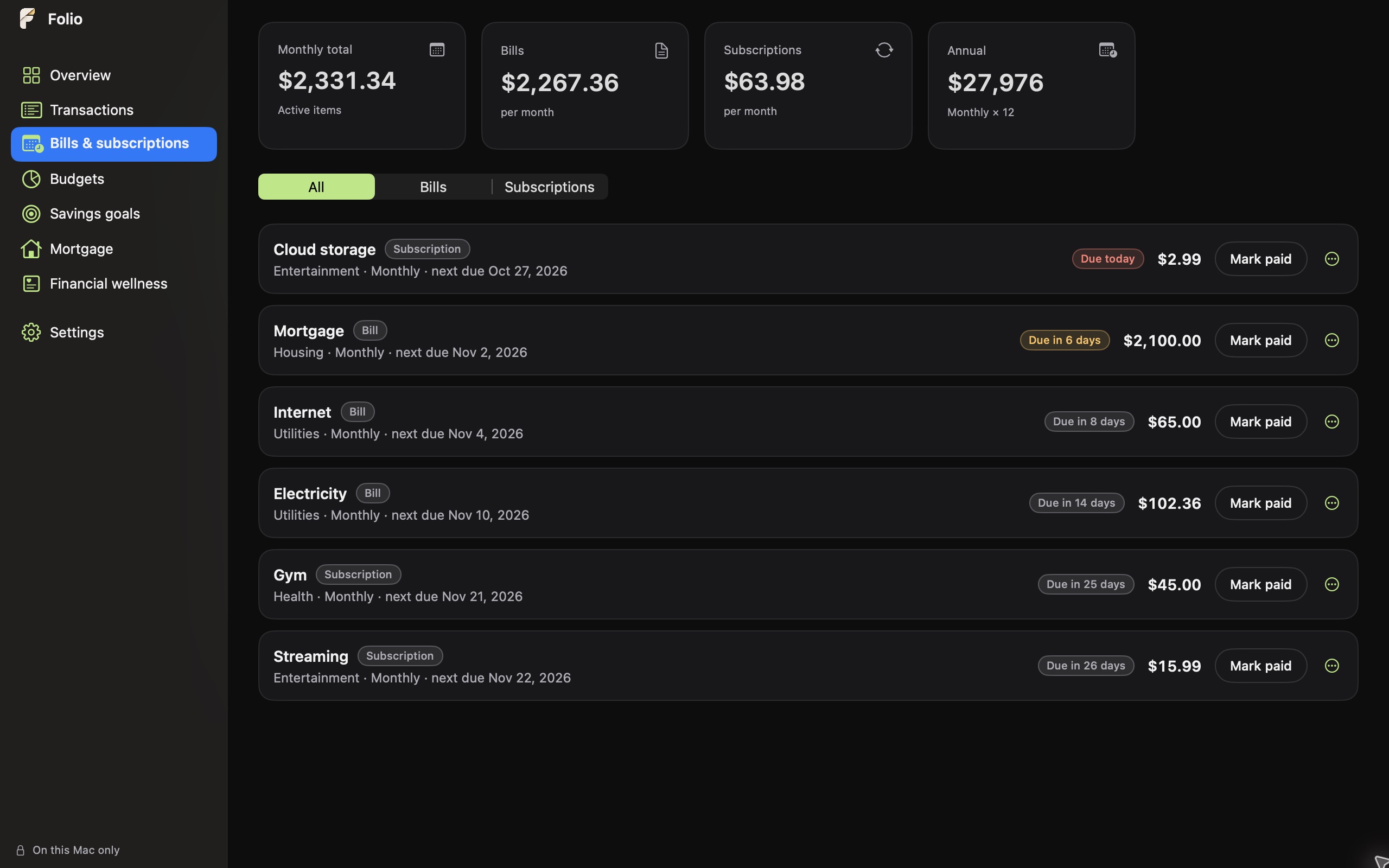
Bills that don't sneak up on you
See what's due and what's been paid. Recurring bills and subscriptions stay organized in one list, so the month ahead is easy to read.
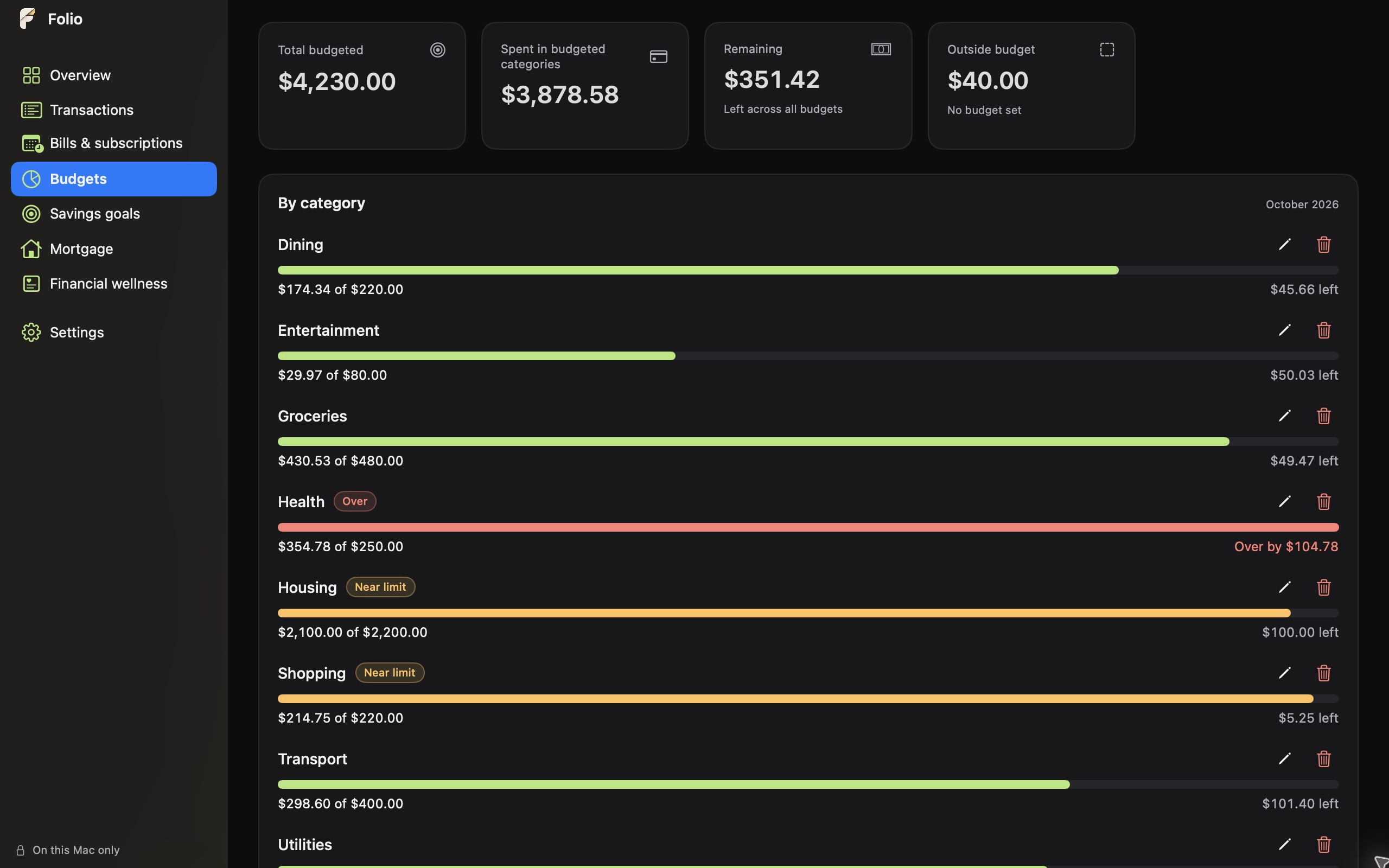
Budgets by category
Give each category a limit and watch spending against it as the month unfolds.
Goals worth saving for
Set a target and follow your progress toward it, one contribution at a time.
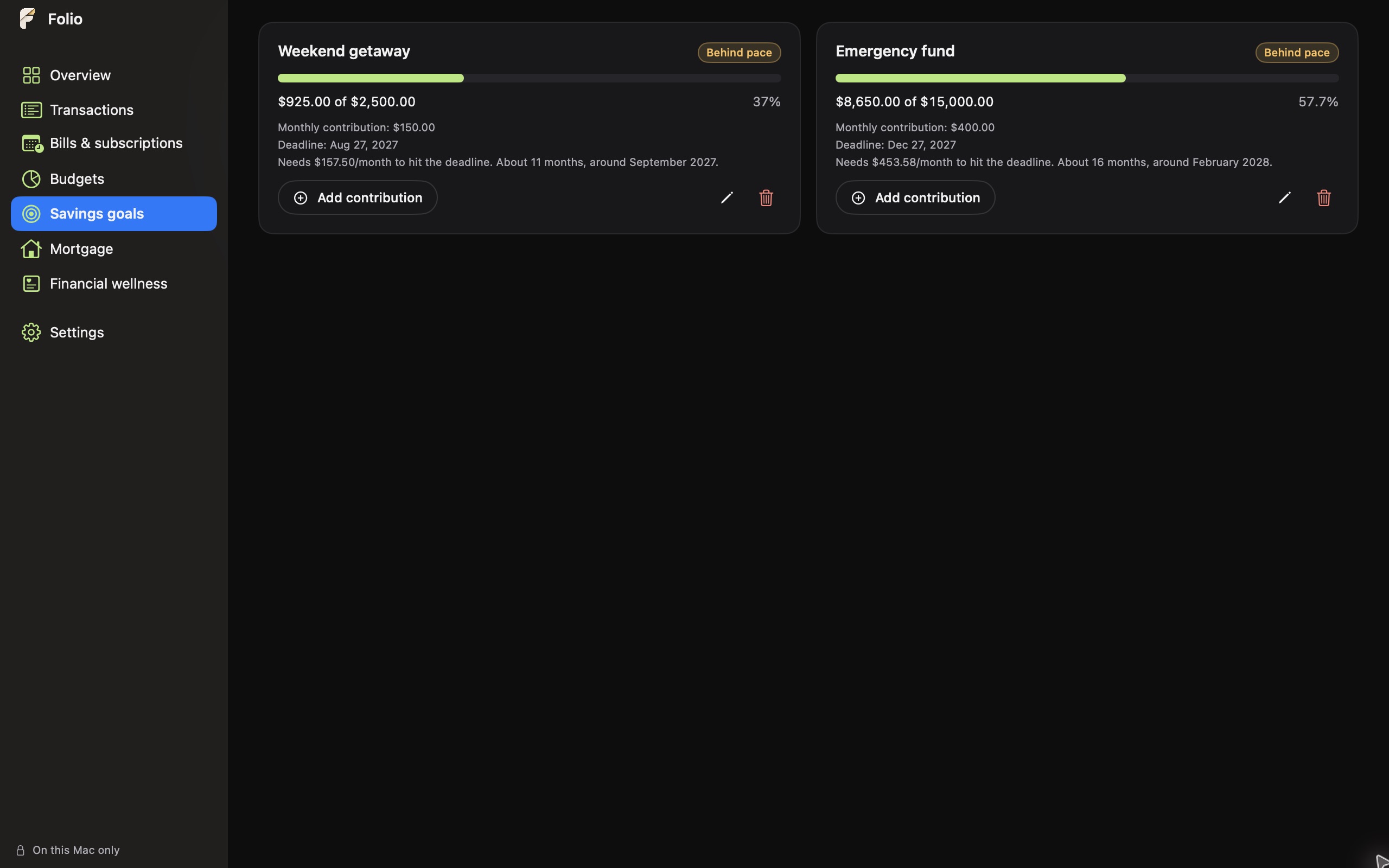
Screenshots use fictional records to illustrate the app. Your workspace starts empty, ready for the records you choose to add.
Your records stay on your Mac.
The Folio app doesn't send your financial records, settings, or usage information to us.
- Works offlineNo account registration and no cloud sync.
- No bank connectionEnter transactions manually or import a CSV file you choose.
- No ads or analyticsNo third-party analytics or crash-reporting service in the app.
- Optional screen lockTouch ID or your Mac password guards the app's screens. It doesn't encrypt the data file — use FileVault for that.
Before you buy
- Availability
- Coming soon — not yet on the App Store
- Intended price
- $19.99 one-time · no subscription or in-app purchases
- Requires
- Apple silicon Mac, macOS 15 or later
- Currency
- US dollars only
- Data entry
- Manual entry or CSV import
- Backups
- JSON backups and CSV exports you control
Folio 1.0 does not connect to banks or sync between devices. Exported CSV and JSON files are readable plain text. Folio is provided “as is” for personal budgeting and planning. It is not official accounting software and does not replace professional accounting, tax, or financial advice. Use it at your own discretion, verify important figures independently, and keep backups of your records.